Generate cinematic AI videos with text-to-video, image-to-video, and advanced motion control — powered by Kuaishou's Kling 3.0 model.
Start generating AI videos with Kling 3.0 directly in your browser on AI Seedance.
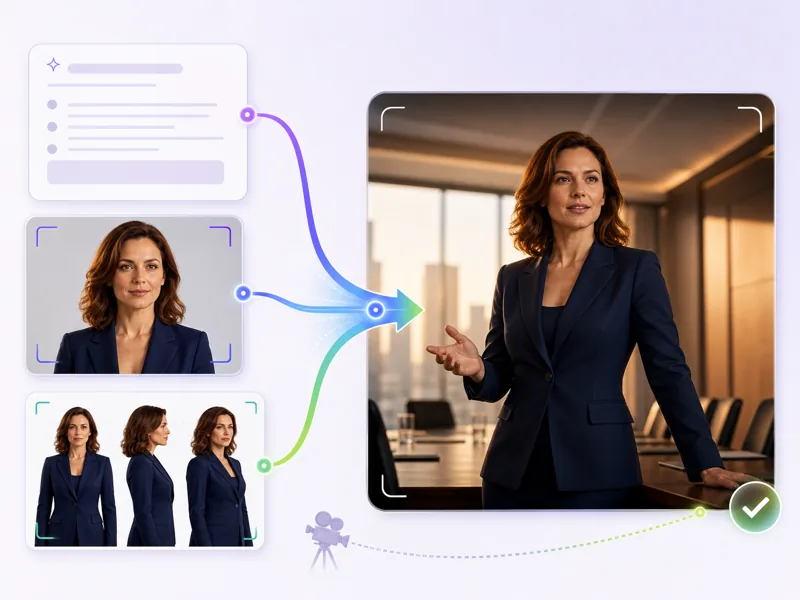
Kling 3.0 brings cinematic motion control, character consistency, and multi-input workflows to AI video generation. Write a prompt or upload a reference image and get smooth, realistic video clips ready for professional use.
Kling 3.0 generates smooth, realistic motion with natural physics and fluid subject movement across every frame.
Start from a text prompt, a reference image, or a character sheet. Kling AI 3.0 handles multiple input types for flexible creative workflows.
Specify camera movements like dolly, pan, crane, and tracking shots directly in your prompt for precise cinematic output.
Upload reference images and maintain stable facial features, body proportions, and outfits throughout the generated video.
From prompt to finished video — create cinematic AI clips with full motion control in your browser.
Write a text prompt describing your video scene, or upload a reference image or character sheet. Include details about subject, motion, camera angle, and lighting.
Select resolution, aspect ratio, and duration. Enable motion control or audio lip-sync options as needed for your project.
Click Generate and Kling 3.0 produces a cinematic video clip based on your prompt and reference inputs. Preview the result when generation completes.
Watch the finished video, then download it in your preferred format. Adjust your prompt or settings and re-generate to refine the result.
Cinematic AI video generation with motion control, character consistency, and multi-input workflows.

Filmmakers, marketers, and AI video creators on their experience with Kling 3.0 on AI Seedance.
Kling 3.0 motion control is a game-changer. I described a crane shot and a dolly push-in, and the output nailed both. Saved me a full day of VFX work on a client project.

Lucas Rivera
Freelance Filmmaker
We produce 20+ ad variants per week using Kling 3.0. The character consistency across different scenes means we can build a full campaign from a single character sheet.

Elena Kowalski
Digital Marketing Director
The lip-sync quality on Kling 3.0 is natural enough for my talking-head content. I upload a voiceover and get synchronized video in minutes instead of hours of editing.

Amir Hassan
YouTube Content Creator
I tested Kling 3.0 against four other video models. The physics simulation and motion stability are noticeably better — objects move naturally and camera transitions stay smooth.

Sarah Chen
Motion Graphics Designer
Image-to-video with Kling 3.0 is incredibly reliable. Upload a product photo, describe the scene, and get a polished video clip that matches the brand identity perfectly.

Tomoko Hayashi
Ad Creative Director
I generate all my social video drafts with Kling 3.0 now. The cinematic quality means clients approve concepts faster — what used to take days of back-and-forth now happens in one session.

Diego Ortiz
Short-Form Video Producer
Common questions about Kling 3.0 AI video generator you might want to know.
Generate cinematic AI video with motion control, character consistency, and natural audio — directly in your browser on AI Seedance.