Generate professional AI images with Grok Imagine Image quality mode. Text-to-image, image-to-image editing, and reference-based workflows in your browser.
Use quality mode for sharper, more detailed image outputs with Grok Imagine Image.
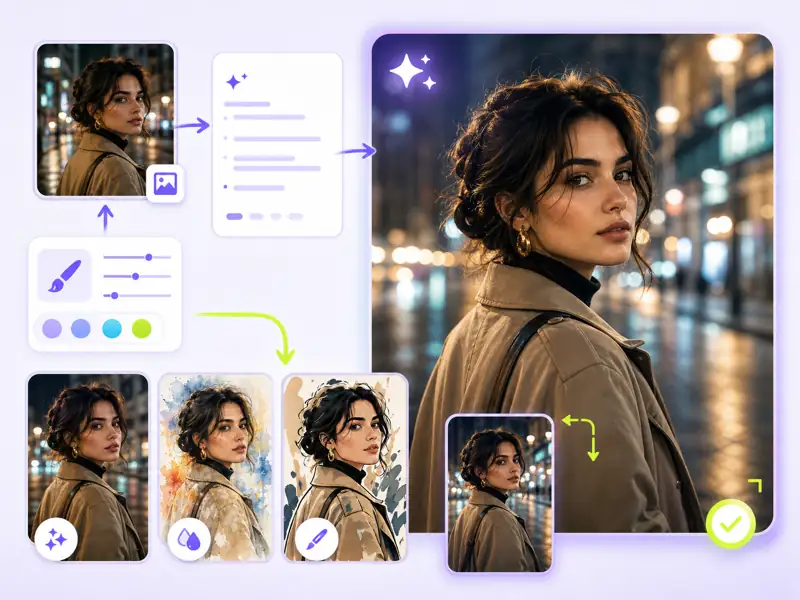
Grok Imagine Image delivers high-quality AI images with strong prompt accuracy, versatile style control, and built-in image-to-image editing. Whether you need photorealistic scenes, creative illustrations, or design mockups, the quality mode produces detailed results ready for professional use.
Produce higher-fidelity images with sharper details, better color accuracy, and finer textures using Grok Imagine Image quality mode.
Upload a source image and describe changes. Edit backgrounds, adjust styles, or transform elements while preserving the core composition.
Use reference images to maintain character identity, match art styles, or reproduce specific visual directions across multiple generations.
Generate images in square, landscape, portrait, and custom aspect ratios to fit any platform or design requirement.
From prompt to final image — create professional AI visuals with Grok Imagine Image workflows.
Describe the image you want to create. Include details about subject, style, lighting, composition, and mood for best results with Grok Imagine Image.
Optionally upload reference images for image-to-image editing, style guidance, or character consistency. Grok Imagine Image uses references to maintain visual coherence.
Select your aspect ratio, quality mode, and output preferences. Click Generate and let the AI produce your image.
Review the generated image. Adjust your prompt or settings for variations, then download the final result in high resolution.
Professional AI image generation with quality mode, editing, and reference-driven workflows.
Designers, marketers, and content creators share their experience with Grok Imagine Image workflows.
Grok Imagine Image quality mode is noticeably sharper than standard generation. I used it for a client pitch deck and the product mockups looked polished enough to pass as professional renders.
Elena Vasquez
Brand Designer
We generate 20+ social media visuals per week with Grok Imagine Image. The reference-based workflow keeps our brand aesthetic consistent across every post without manual touch-ups.
Ryan Mitchell
Content Marketing Manager
The image-to-image editing is what sold me. I upload rough sketches and get polished illustrations back in seconds. It cut my concept phase from hours to minutes.
Aisha Okonkwo
Freelance Illustrator
I use Grok Imagine Image to swap product backgrounds and test different lighting setups before doing the actual photoshoot. Saved roughly 4 hours of studio time per product line.

Thomas Berg
E-Commerce Photographer
Being able to upload a character reference and get consistent results across different scenes is a huge time saver. I generated 30 environment variations for a game pitch in one afternoon.
Yuki Tanaka
Game Concept Artist
The batch generation feature lets me explore multiple visual directions from a single prompt. I typically pick 2 out of 4 variations and go straight to publishing. Fast, clean workflow.
Camille Dubois
Social Media Producer
Common questions about Grok Imagine Image AI image generator and its capabilities.
Generate high-quality AI images with Grok Imagine Image quality mode, image-to-image editing, and reference-based workflows — directly in your browser.